
Prices and combos
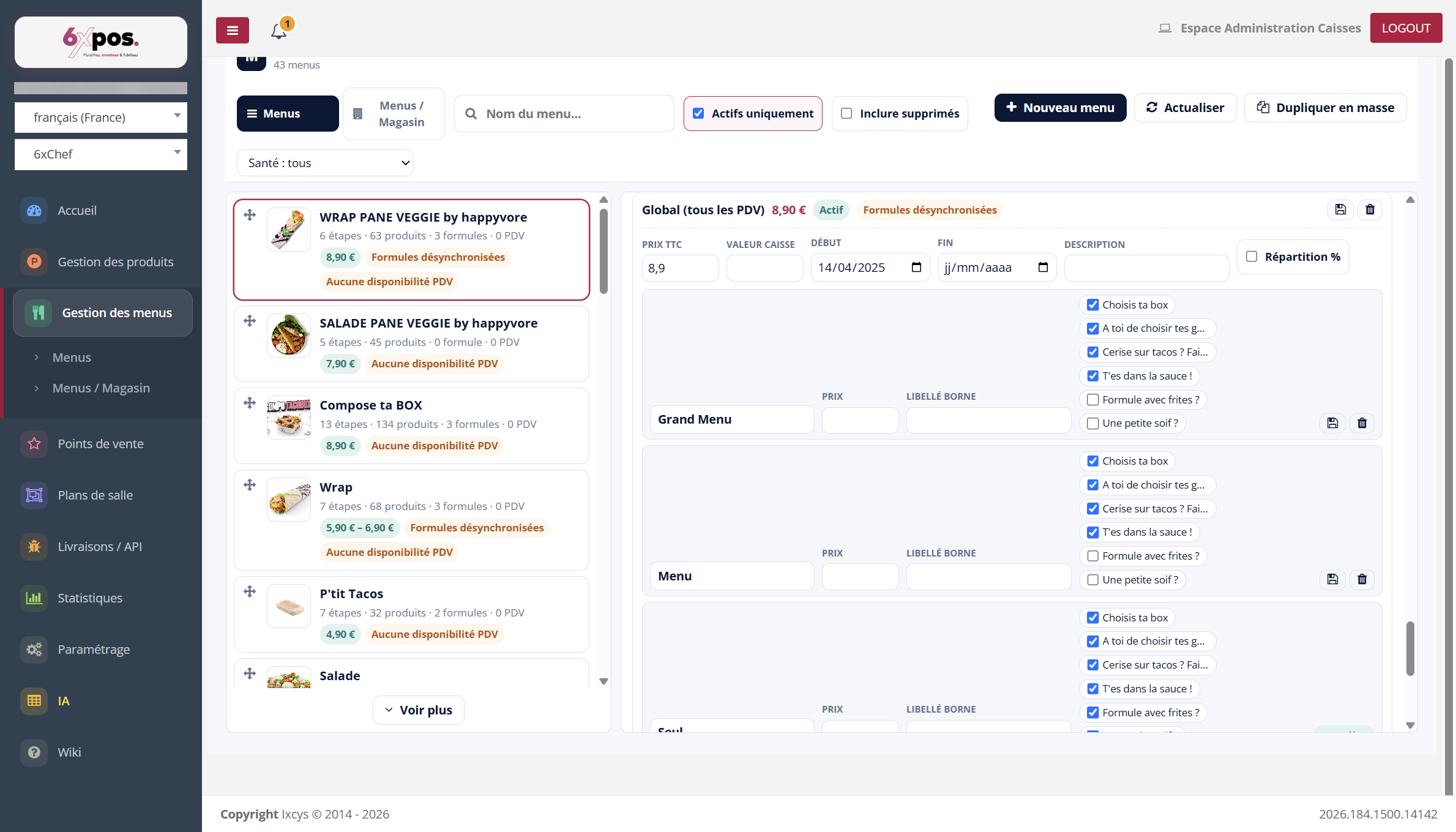
Figure 12 — A price card: amount, period, description, and its combos with the steps checked.
- The price: per point of sale or "Global (all points of sale)", tax included, Start/End period (active if the period covers today), description. Advanced: POS value and Split %.
- Priority: the point-of-sale price TAKES PRECEDENCE over the Global one; deleting the point-of-sale price falls back to the Global one.
- The combos: subsets of steps at a single price (e.g. "Main + Drink"): name, price, kiosk label, checked steps; a "Complete" badge when all steps are covered; the empty row at the bottom creates the next one.
Good to know — every time a combo is saved or deleted, the POS till JSON is regenerated — this is the NEO fix that eliminates the "out-of-sync combos" of the old back-office.
Good to know — deletion asymmetry: deleting a PRICE is a soft archive (its combos are kept, just hidden); deleting a COMBO is PERMANENT. When in doubt, uncheck rather than delete.