
Duplicate: individually and in bulk
"Duplicate" copies a complete menu (steps, products, prices, formulas). "Bulk duplicate" copies several menus at once, adding a suffix to their name — the UE and DELIVEROO presets serve the delivery menus workflow.
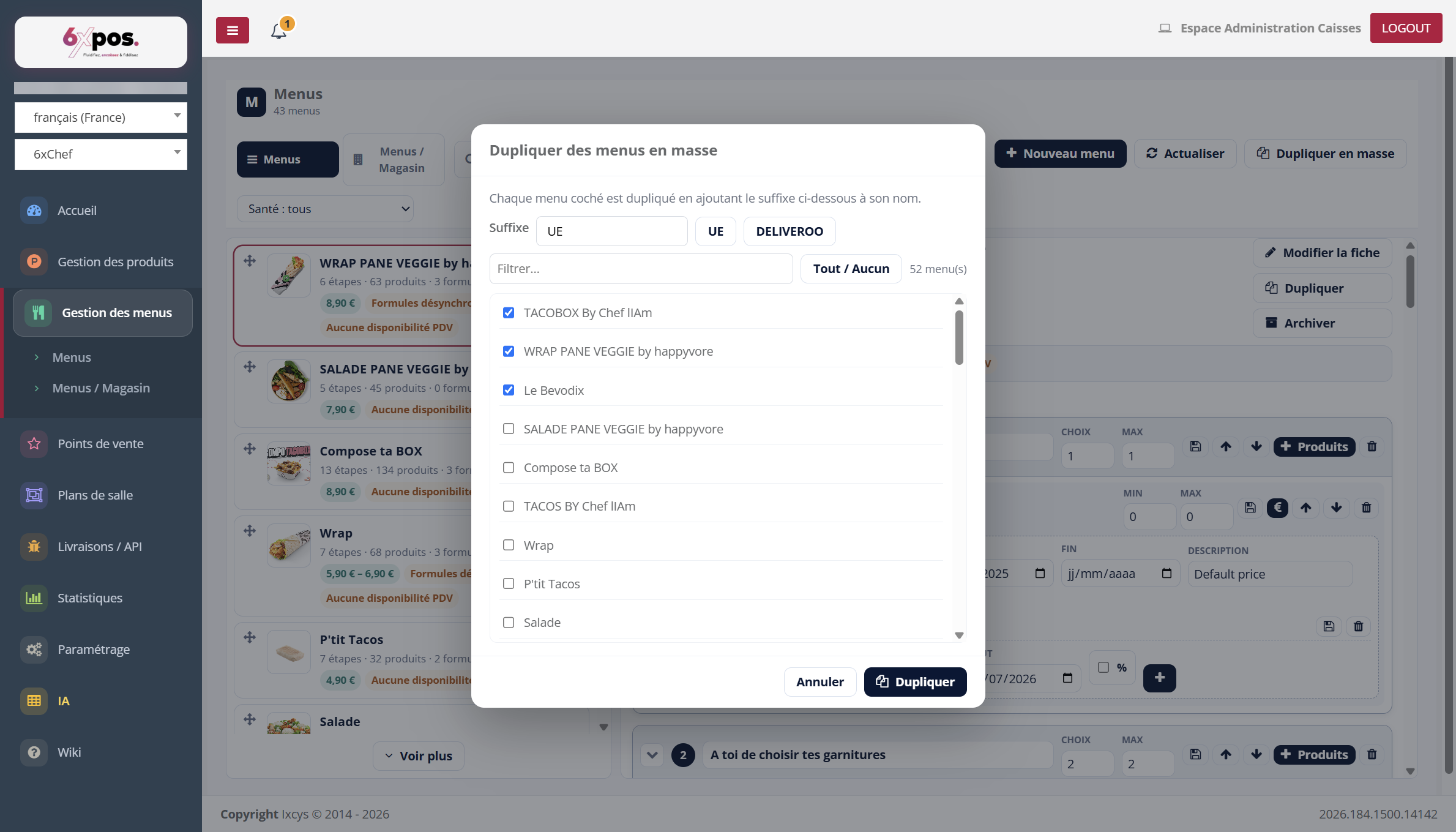
Figure 14 — Bulk duplication: selecting the menus and the suffix (UE / DELIVEROO presets).
"Duplicate" copies a complete menu (steps, products, prices, formulas). "Bulk duplicate" copies several menus at once, adding a suffix to their name — the UE and DELIVEROO presets serve the delivery menus workflow.
Good to know — the point-of-sale availabilities are NOT copied (by design): a duplicated menu is invisible at the POS till until it has been activated on a point of sale. After a bulk duplication, activate each clone.