
Configurations
A configuration = one point of sale + one integration type + its settings. Name / Type / Active columns; a “DEV” badge flags a sandbox URL.
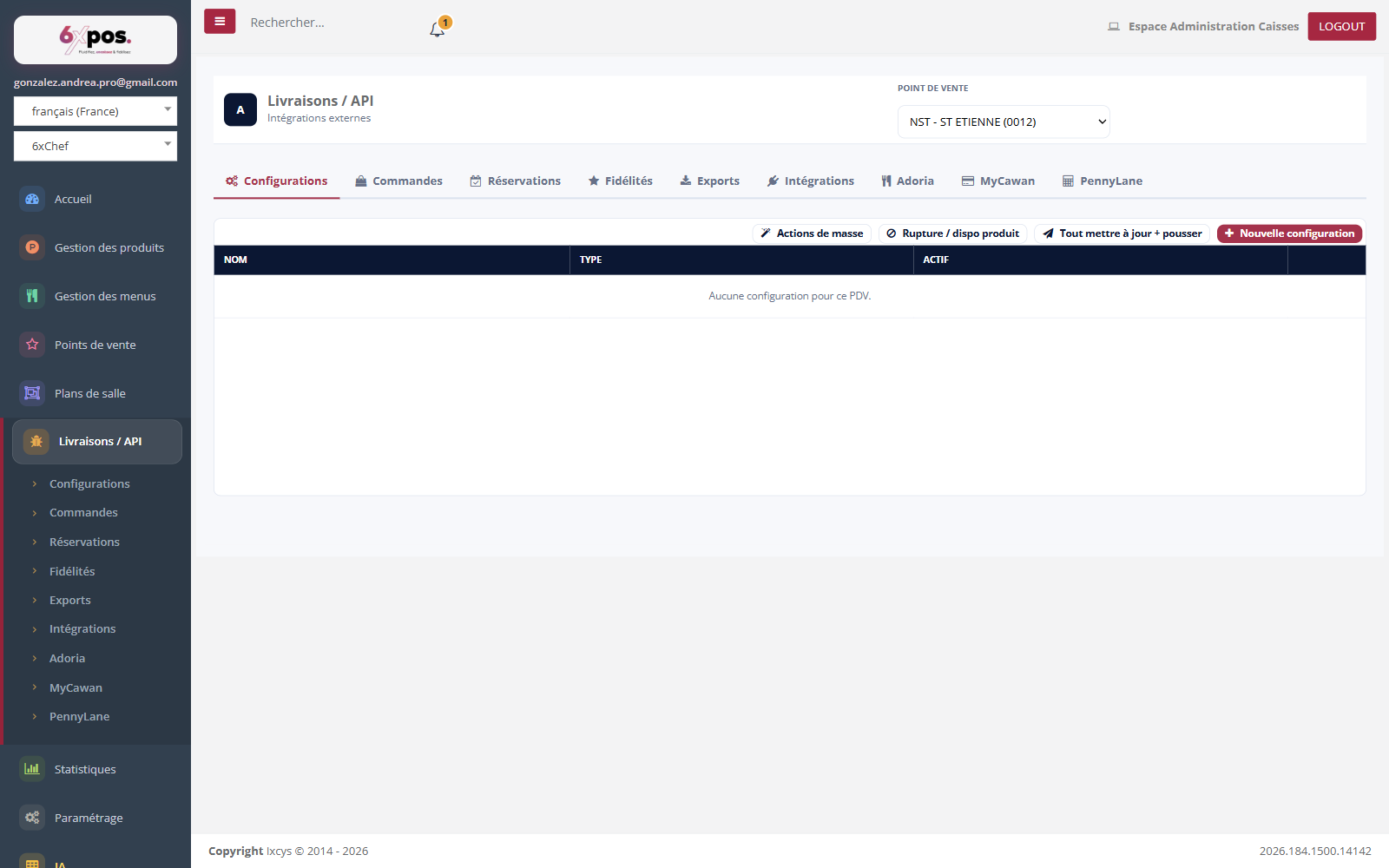
Figure 1 — The Configurations tab: the list by point of sale and the four header actions (Bulk actions, Out-of-stock/availability, Update all + push, New configuration).
A configuration = one point of sale + one integration type + its settings. Name / Type / Active columns; a “DEV” badge flags a sandbox URL.
- The “Active” switch: this is the integration's circuit breaker: nothing comes in or goes out if the configuration is inactive.
- Available types: reservations (6X_POS, ZEN_CHEF, LA_FOURCHETTE); orders (UBER_EATS_V2, DELIVEROO_V2, 6X_CART, 6X_ORDER, 6X_BELL, EDGAR, DELIVERECT, PRESTASHOP); loyalty (AVOMARK, HEYPONGO); exports (ADORIA, MYCAWAN, PENNYLANE); kiosk integrations (DELIVERECT, ZELTY).
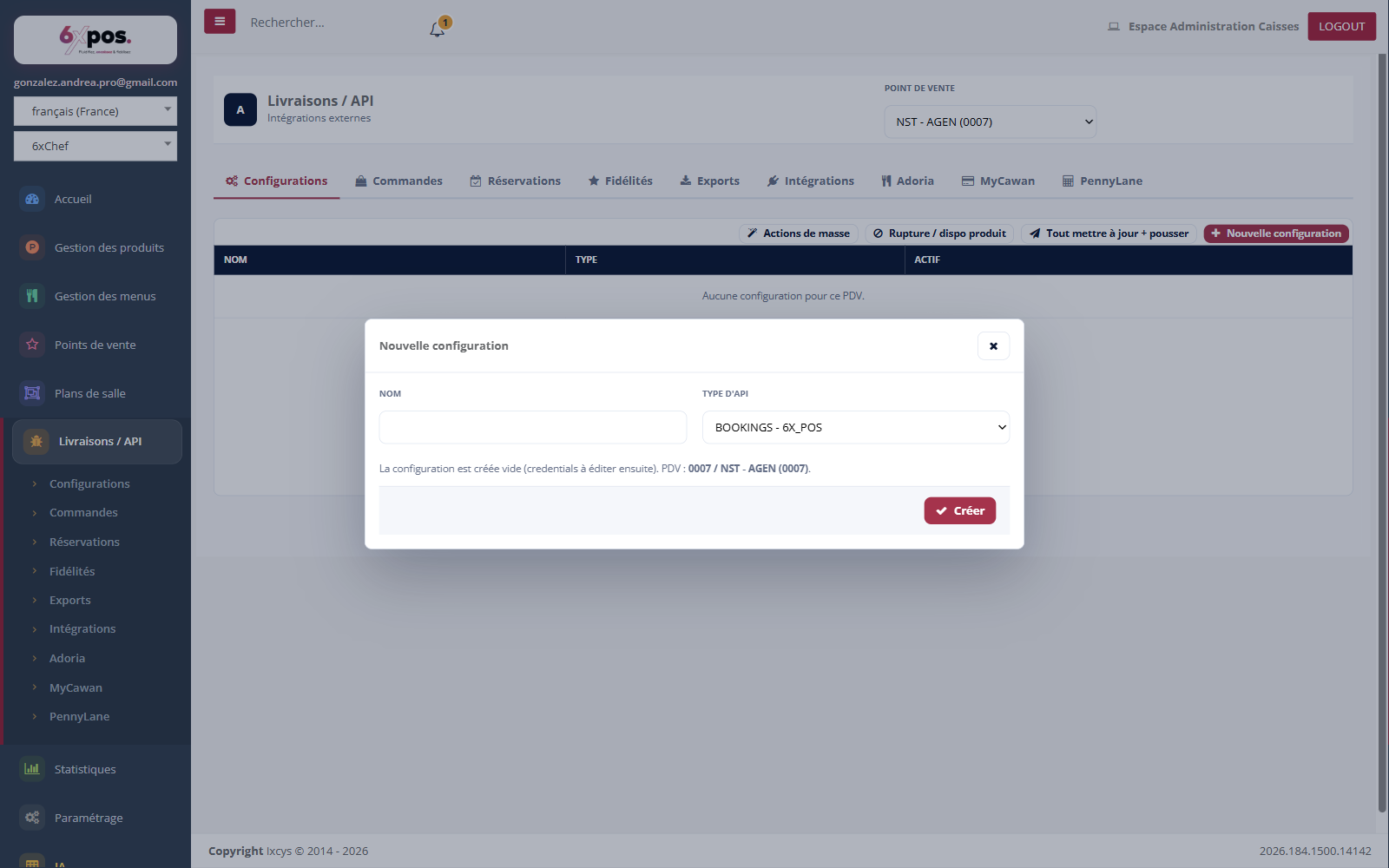
Figure 2 — Creating a configuration: name + type — it is born empty and inactive.
Credentials are filled in afterwards (Advanced editing). Uber Eats V2: Client ID/Secret, Location UUID (GUID format required), automatic acceptance. Deliveroo V2: Client ID/Secret, Webhook Secret, Location UUID, Brand ID, Menu ID. A JSON viewer (Copy / Download) shows the raw configuration.
Good to know — saving the credentials never touches the menu already built.
Warning — deleting a configuration is PERMANENT: credentials and menu lost, no recycle bin.
Good to know — enabling/disabling an INTEGRATION-type configuration (Deliverect, Zelty) automatically resynchronizes the point of sale's kiosks.