
Availability by point of sale
One row per POS with clickable badges for each ordering mode (green = sellable) and a “Disable everything on this POS” button. “Enable (all modes)” creates the availabilities of the menu, its products and its combos for all modes of the POS.
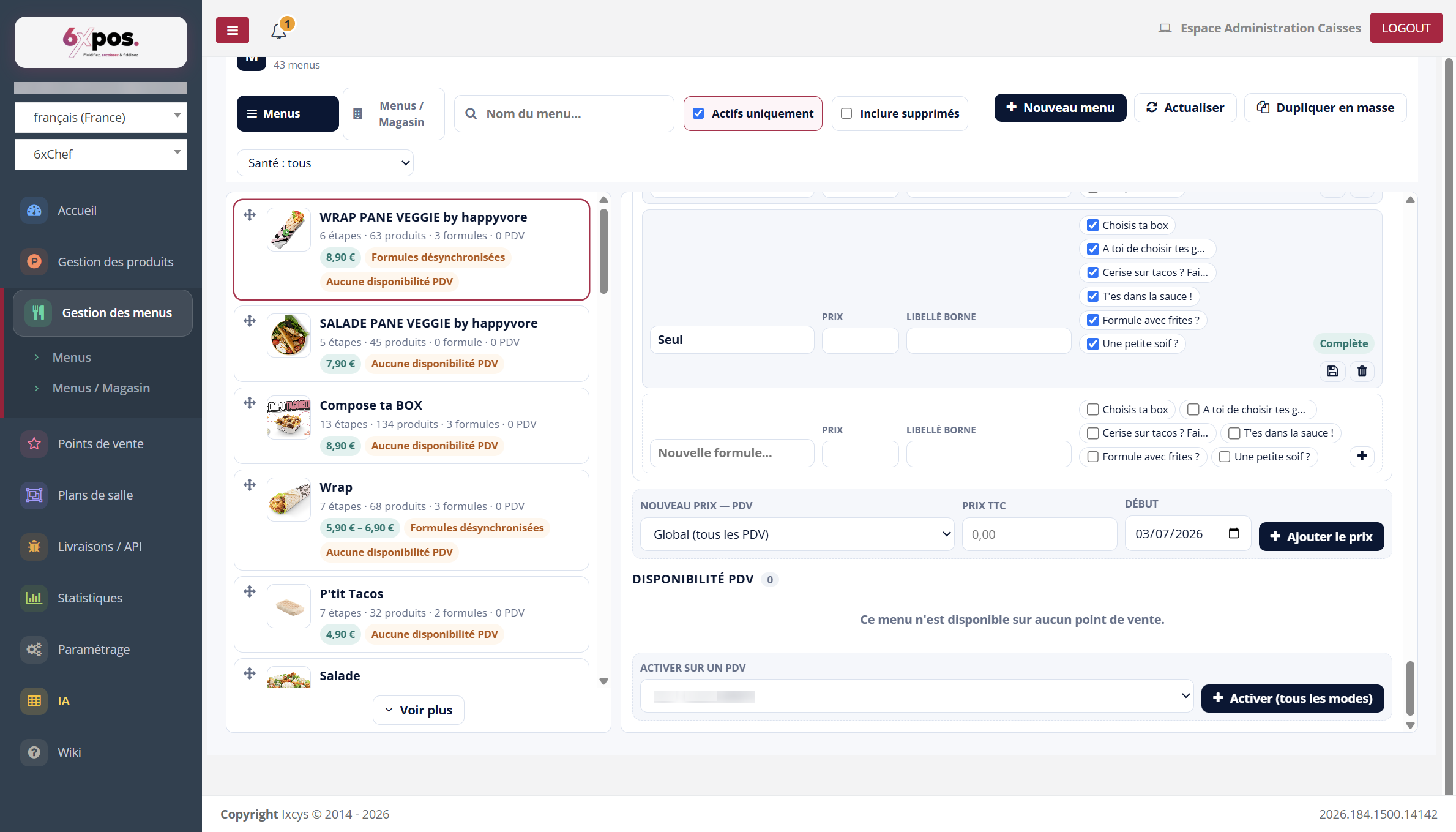
Figure 13 — The POS Availability section: empty state here (“available on no point of sale”) and the activation form.
One row per POS with clickable badges for each ordering mode (green = sellable) and a “Disable everything on this POS” button. “Enable (all modes)” creates the availabilities of the menu, its products and its combos for all modes of the POS.
Good to know — PITFALL — enabling a menu on a POS forces re-selling at ALL levels: the fine-grained exclusions made previously (a product cut off on this POS, a mode turned off) are re-enabled. Check the badges after an activation.
Good to know — “Disable everything” does not remove the menu from the POS: it stays listed, with all modes off — fine-grained reactivation is done badge by badge.