
Automatic closures
The POS till closures of a point of sale: X (view) = service closure, the intermediate till status (cash float, per-server check, anti-theft); Z / Day = the final accounting result for the day. The eye opens the full detail; the PDF icon generates the document.
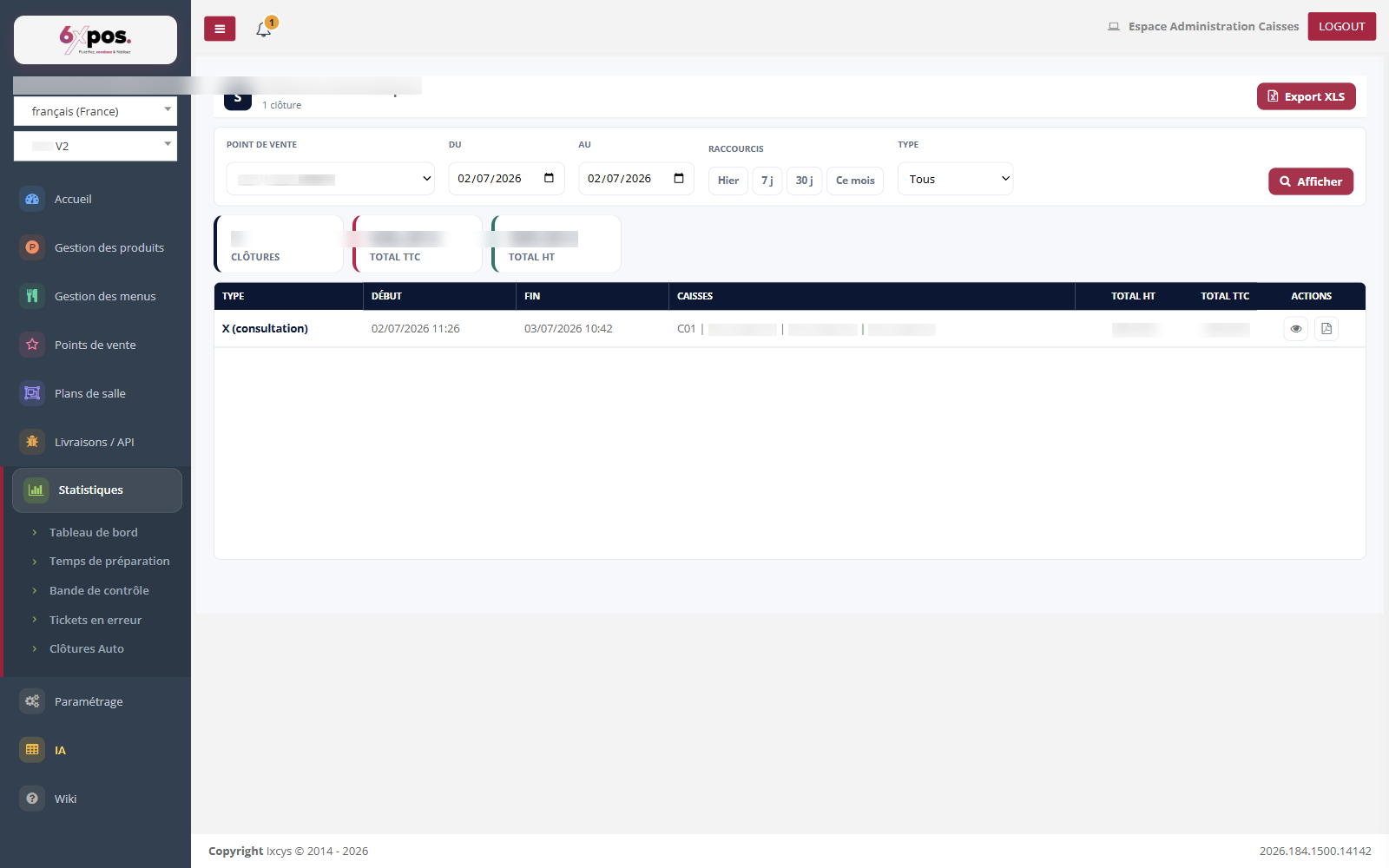
Figure 6 — The closures of a point of sale: type X or Z, period, totals, detail and PDF.
The POS till closures of a point of sale: X (view) = service closure, the intermediate till status (cash float, per-server check, anti-theft); Z / Day = the final accounting result for the day. The eye opens the full detail; the PDF icon generates the document.
Warning — THE CLASSIC TRAP: adding up the incl. tax column of the list gives MORE than the displayed total. The total keeps only ONE closure per day (the Z), whereas the list shows everything, X included. This is not a calculation error.
Good to know — an excl. tax of 0 or a detail reduced to the header signals closure content that is unreadable on the till side — not a zero sale. PDF generation goes through a dedicated service, available in production.