
Customer Accounts
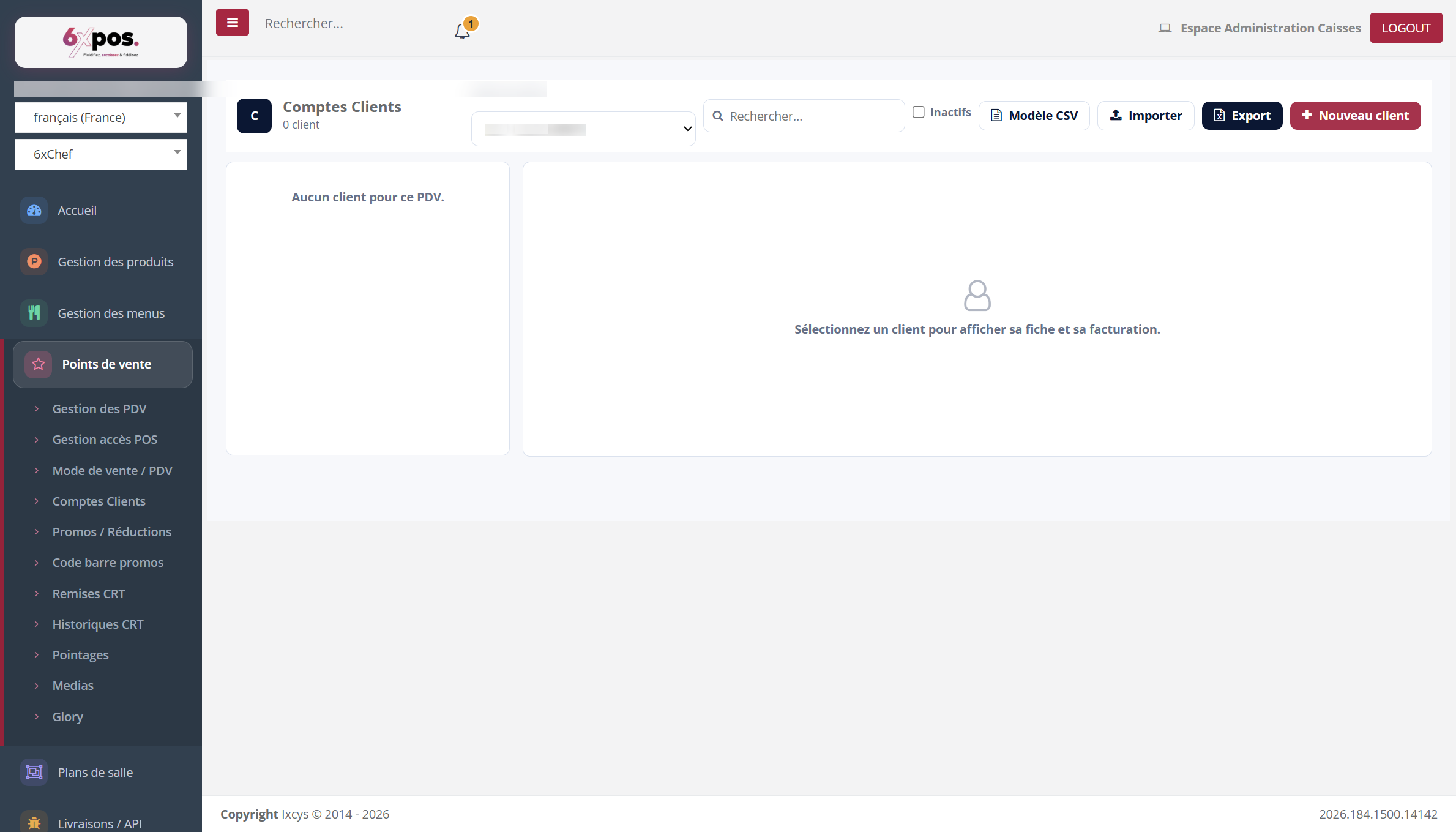
Figure 13 — Customer accounts: list on the left, record and billing on the right (empty in the demo database).
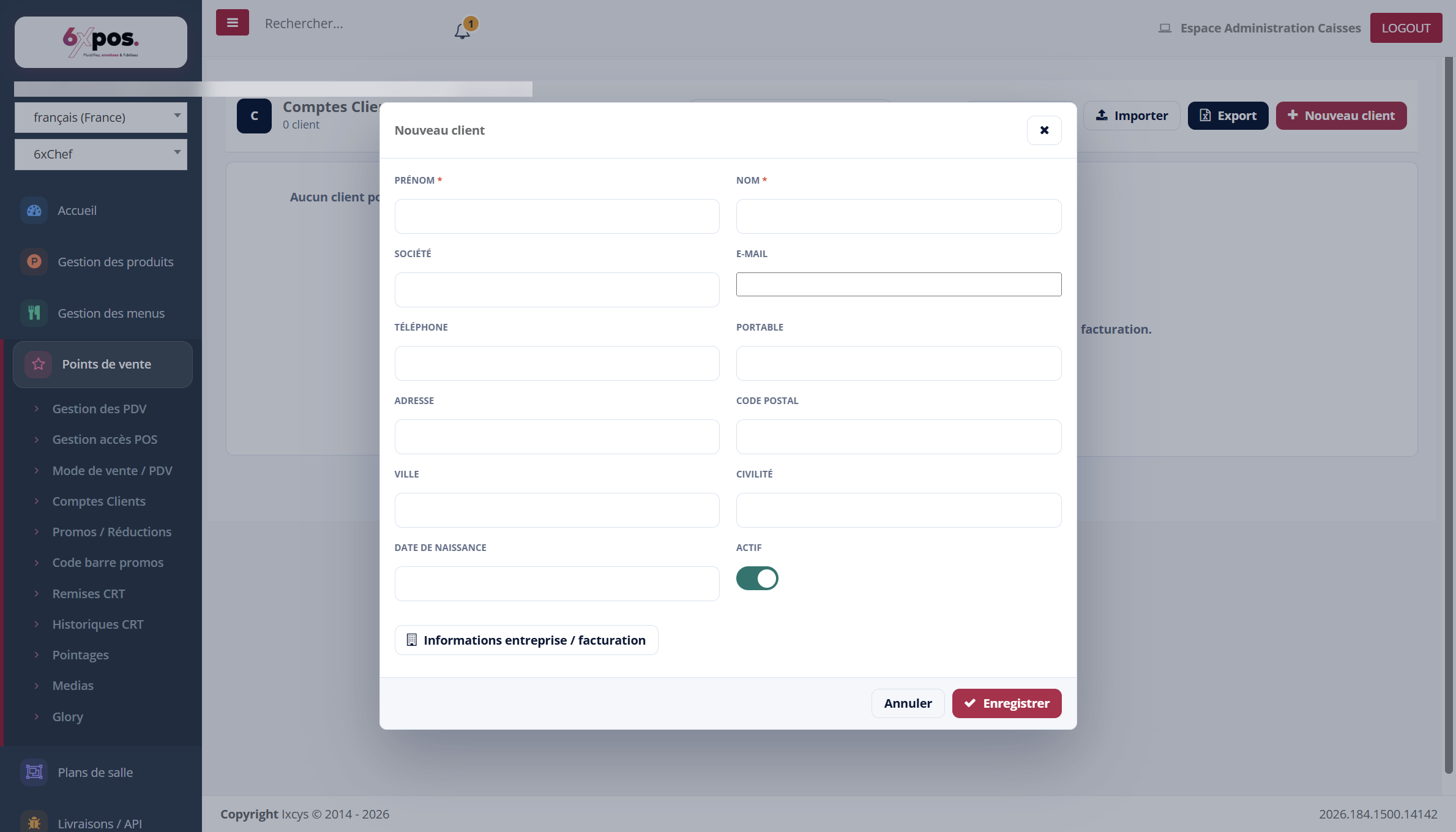
Figure 14 — Creating a customer: identity, contact details, active status.
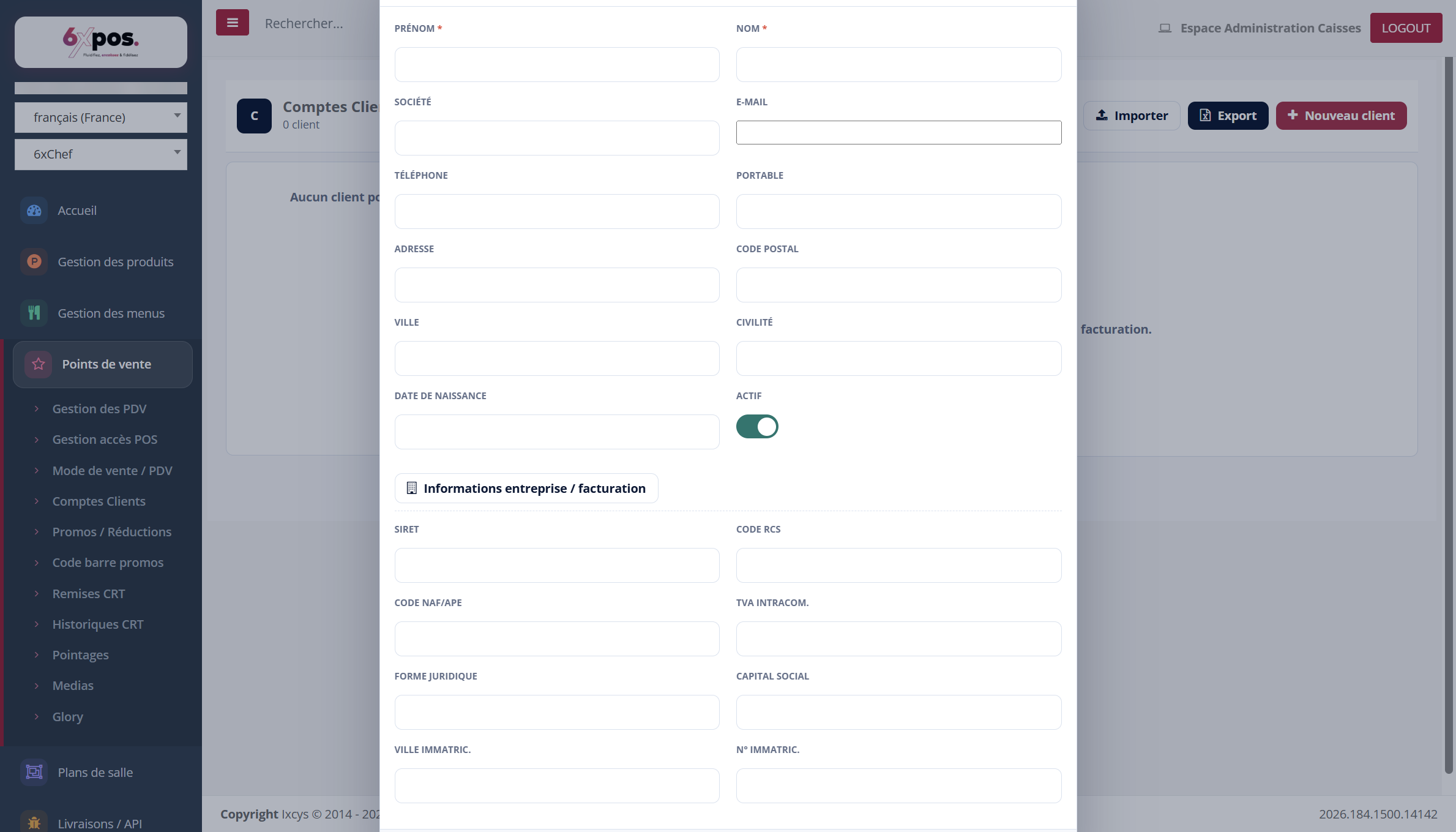
Figure 15 — The “Company / billing information” section: SIRET, RCS, intra-community TVA…
- Scope: a customer linked to a PDV (point of sale) appears only on that PDV; a “global” customer (with no link) appears everywhere. The link is set at creation time.
- Billing: period (current month by default), grouping by tickets or products, balances (initial, current, excl. tax, TVA, incl. tax), transactions, TVA breakdown, PDF Export.
- Imports/Exports: CSV Import (“CSV Template” button for the format) and Excel Export at the top of the page.
- Moving a ticket: transfers a ticket from one customer to another in two steps — both balances are adjusted automatically.
Good to know — “Deleting” a customer only deactivates them: tick “Inactive” to find and reactivate them — balance and history are kept. The customer number is assigned automatically.