
Sales mode / POS: the channels
Select the point of sale, then enable/disable each channel with its toggle — saving is immediate. The eye icon on an active card reveals the “% commission” field (editable only after activation).
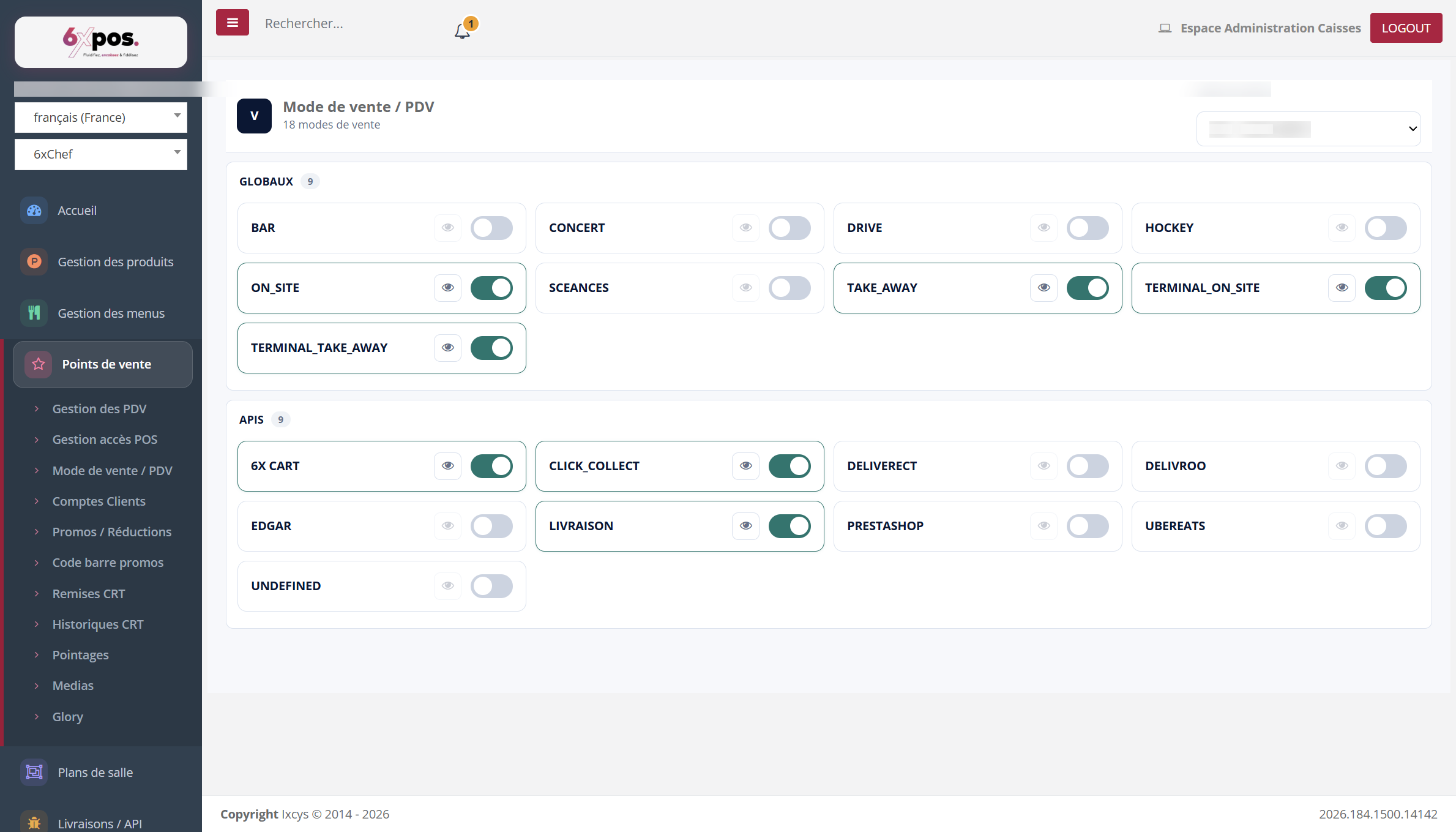
Figure 11 — The point-of-sale channels in two sections: Global modes and API modes (platforms).
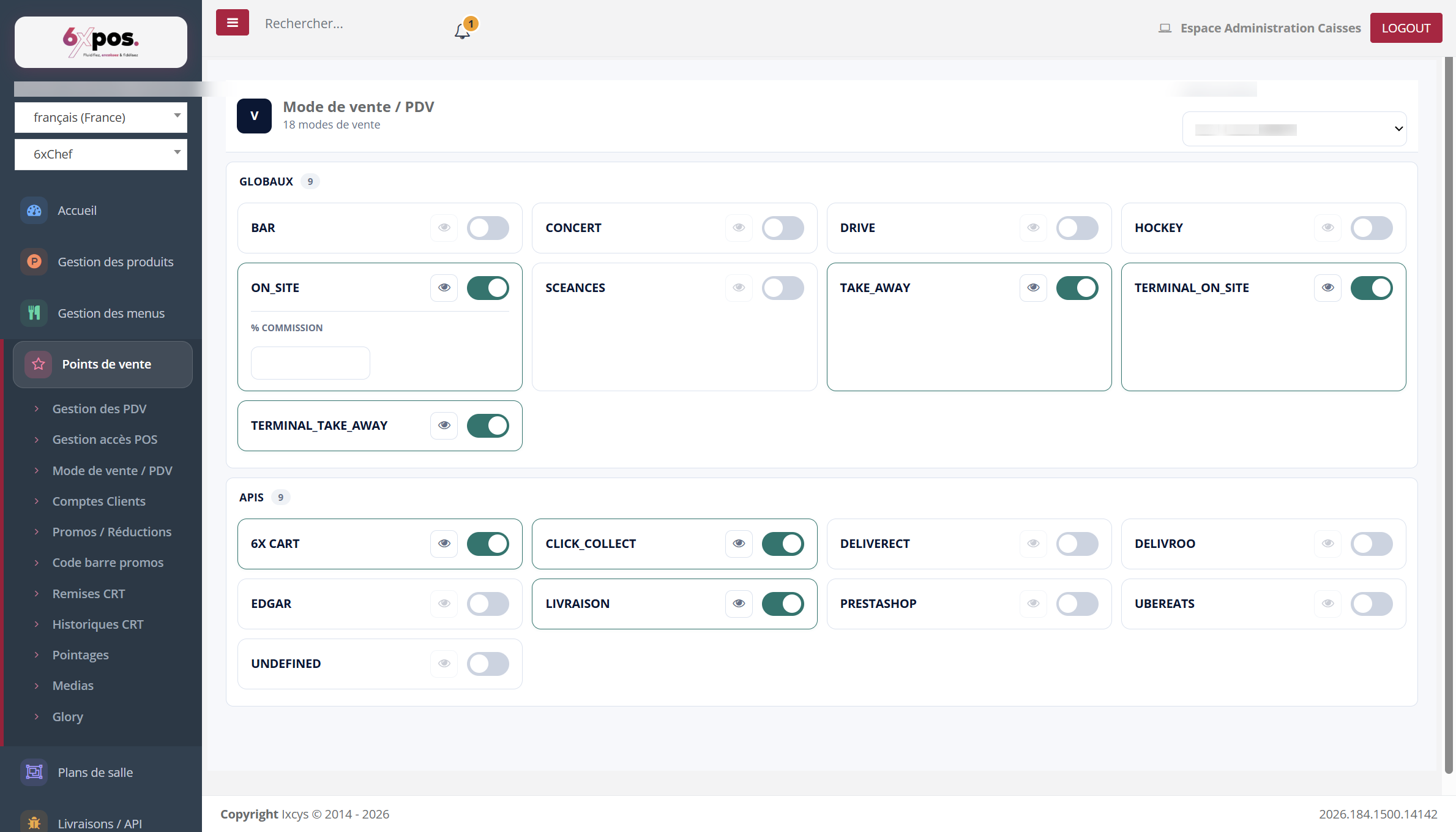
Figure 12 — The eye icon of an active mode reveals its “% commission” field.
Select the point of sale, then enable/disable each channel with its toggle — saving is immediate. The eye icon on an active card reveals the “% commission” field (editable only after activation).
Warning — you cannot disable a mode already used by tickets — the message “Cannot disable: this sales mode is in use” is a safeguard, not an error.