
Library
The library brings together the shapes available in this POS's editor: room backgrounds (Background category) and table templates. Each card shows the dimensions and the number of uses across the floor plans.
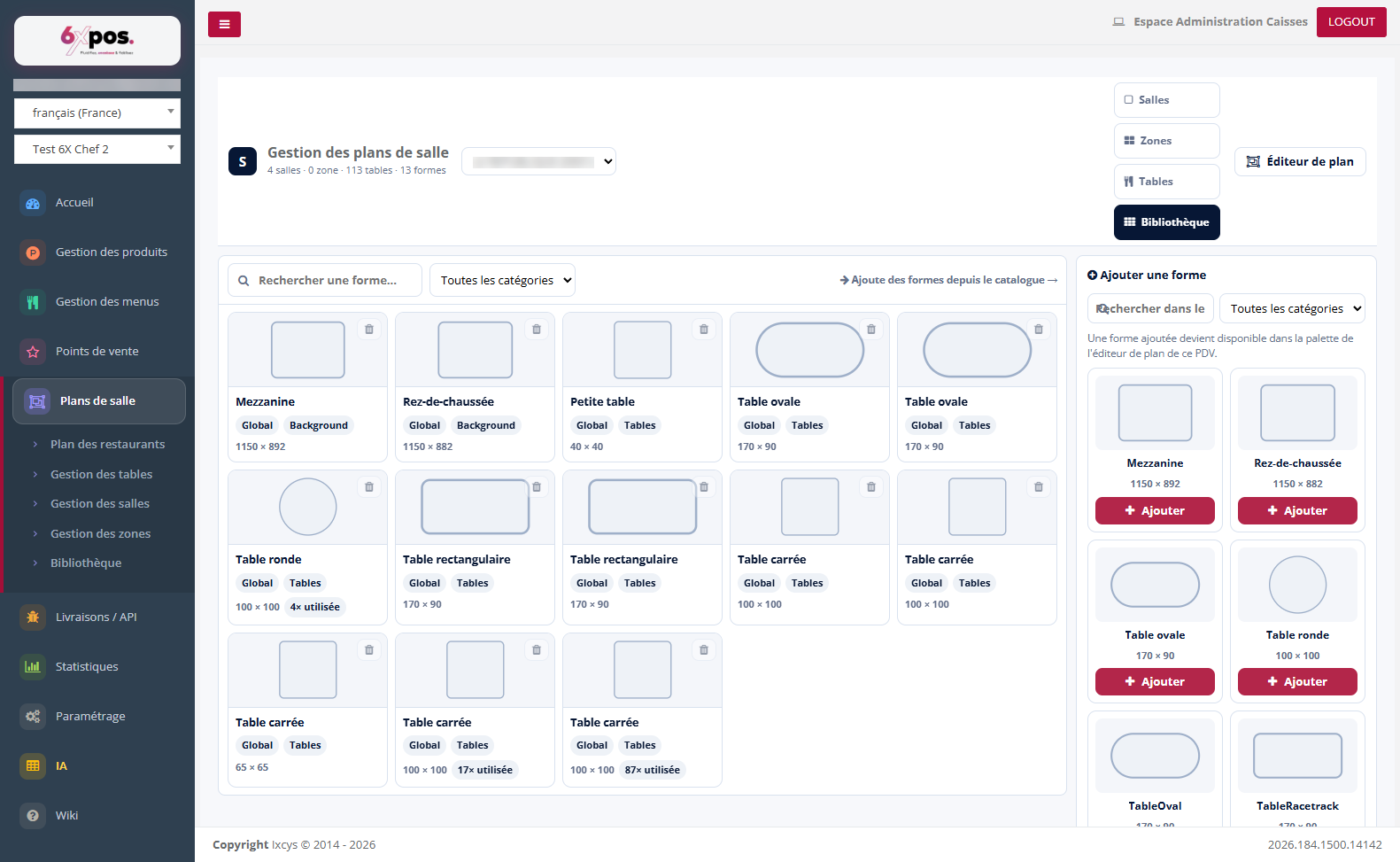
Figure 10 — The POS shape library and the catalog (right-hand panel).
The library brings together the shapes available in this POS's editor: room backgrounds (Background category) and table templates. Each card shows the dimensions and the number of uses across the floor plans.
- Add a shape: the right-hand panel offers the global catalog — a shape you add becomes available in the palette of this POS's floor plan editor.
- Remove: the trash icon removes the shape from the POS library (not possible if it is used on a floor plan).